
FoundIt: Three Routes Back to Personal Information
You may remember a document’s purpose, its appearance or a sentence inside it without remembering where you saved it. Those are different retrieval clues. FoundIt is useful to study because its historical description addresses more than the filename search box.
A 2006 product in a later capture
The saved landing page presents FoundIt as a beta for finding files and reusing excerpts, with personal labels and content gathered from several documents. It lists Windows 2000/XP and Internet Explorer 6. That copy was captured on 12 December 2024; its footer says 2006. A tour captured on 12 December 2006 independently places the product in that earlier period. In a May 2007 UXmatters comment, Arora describes her team’s Google Desktop-based project. These dates document a 2006–07 product context, not a 2024 release. The captures do not establish an exact launch date.
Which memory gets you started?
The saved product description offers several clues besides a filename: file type, personal labels and text excerpts. Each clue asks the reader to remember something different. That is FoundIt’s useful proposition: a lost filename need not end the search.
- Format: a file-type panel provides a starting scope, with the risk that the remembered type is wrong.
- Association: a personal label can connect records across formats, but someone must assign it first.
- Content: a text preview can expose the relevant passage before another application opens.
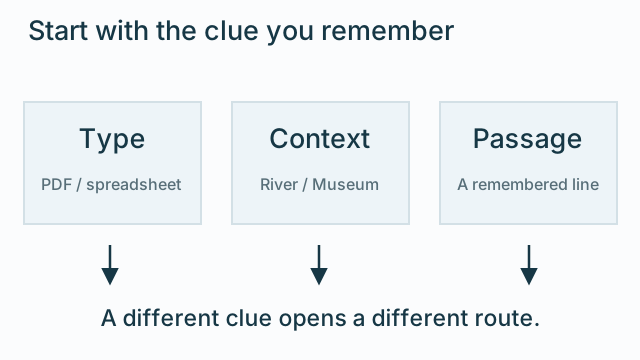
These are not three interchangeable decorations on a search box. Format narrows a collection, a label records an association, and preview exposes content. The strongest idea is the handoff between them: an interface can let a mistaken clue become a beginning rather than a dead end.
The useful design decision is the handoff. When a PDF view does not contain the wanted note, can the person broaden the search without losing the question they were trying to answer? When a label brings back several files, can they inspect those files without repeatedly opening and closing applications?
Continue with a concrete collection
The separate scope, tags and clips study uses five fully listed sample documents to inspect that handoff. Its River project, filenames and passages belong to the current edition. The historical tour supplies the described mechanisms, not those records.
For the related problem of showing shared project information to different roles, read the ArchChive research record. A personal file collection and a team dashboard need different views, but both depend on knowing what question the person brings to the screen.